How to add text to a Telegram sticker (animated too)
Meme-style text under a sticker (“Monday mood”, “5 more minutes”) turns a cute sticker into a reply. Here are three ways to add it, from the built-in editor to animated stickers.
1. Static sticker: the built-in Sticker Editor
In any chat open the sticker panel, tap +, pick a photo, then use the text tool. Telegram cuts the subject out and lets you place text. This works for static stickers only.
2. Any sticker: an image editor
Export the sticker as PNG or WEBP, add text in your editor (a white bold font with a black outline reads best on both light and dark themes), keep one side at 512 px and upload it to @Stickers. For video stickers you have to do this on every frame and re-encode to VP9 under 256 KB.
3. Animated sticker with text: a bot
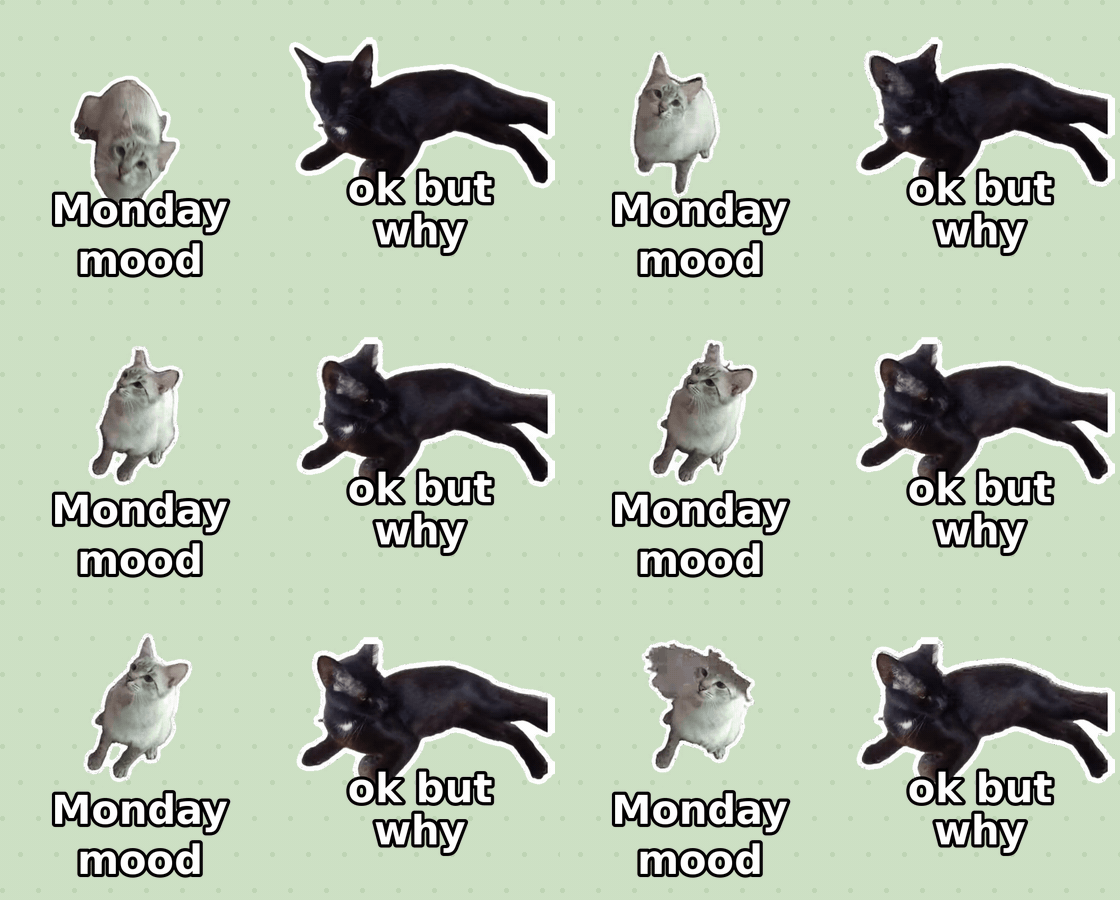
Send a short video to @WigglePackBot and write the text in the caption field. The text goes right on the sticker. If you already made a sticker there, tap “✍️ Add text” under it and send the text. Adding text is free.
Short captions work best: up to about 20 characters fit on one line at a big size, the limit is 40. Letters, digits and punctuation in any language are fine; emoji are dropped.
More guides: make a video sticker · remove the background
Open @WigglePackBot in Telegram
3 live stickers free · no sign-up · works in any Telegram app
No ffmpeg at hand? Free in-browser converter: video or GIF → Telegram sticker WEBM / emoji, nothing is uploaded.